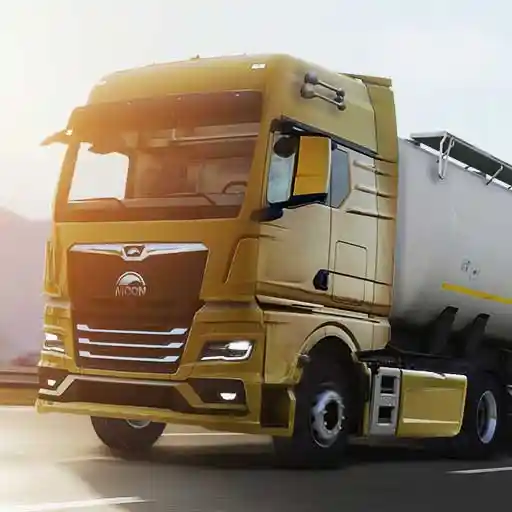
Truckers of Europe 3 is built for Android first, but the Windows version opens the same European roads on a desktop, and the change of platform changes the experience more than players expect. A large monitor stretches your view down the road, physical controls change how the truck answers your hands, and longer, more comfortable sessions change how a career develops.
It is the same game underneath: same cargo, same physics, same economy of fuel and damage. What changes is the craft. Judging distances, reading mirrors and managing a heavy trailer all feel different when the picture is big and your inputs come from a desk instead of a touchscreen.
This guide covers what the Windows version does well, how to set it up, and which habits to bring from mobile and which to relearn. The homepage covers both versions side by side, starting with Truckers of Europe 3 for Windows and the Android package details.
What Changes on a Big Screen
Distance becomes readable. On a phone, the far end of a braking zone is a cluster of pixels; on a monitor it is a place you can actually judge. Players usually find their highway driving calms down on PC for exactly this reason: threats announce themselves earlier, so reactions stop being emergencies.
The cab and mirrors benefit too. Interior detail that is decorative on mobile becomes working information on desktop, and mirror checks feel closer to real driving. If parking was your weakness on a small screen, the bigger picture alone will not fix it, but it removes the squinting from the learning process.
- Distance reads earlier
- Mirrors become useful
- Calm highway driving
- Parking practice gets clearer
Controls on Windows
Desktop play replaces taps and tilts with keyboard and mouse style inputs, and the learning curve is real for the first hour. Keys give you repeatable inputs, the same press does the same thing every time, which suits a simulator. What you lose is the analogue feel of a steering control until your fingers learn to tap and feather the keys.
Give the layout a full evening before judging it. Feathering, short repeated taps instead of holding, is the core desktop steering skill, and it maps surprisingly well onto the small inputs philosophy that good trailer work already demands on mobile.
- Repeatable inputs
- Feather the steering keys
- One evening to adapt
- Small inputs philosophy
Performance and Display Setup
Most desktops run the game comfortably, which tempts players to maximise every setting. The same rule from mobile still applies: choose the level that stays stable in traffic, rain and night driving, because consistency is what your timing is built on. A steady picture at sensible settings beats a spectacular one that dips.
Match the display setup to the game rather than fighting it: a comfortable field of view, brightness set in a night drive, and a seating position you can hold for a long session. Desktop trucking invites longer hauls, and your setup should be built for the third hour, not the third minute.
- Stability over spectacle
- Set brightness at night
- Build for long sessions
- Comfort is performance
Longer Sessions Change Your Career
Comfort compounds. Desktop players tend to run longer routes and chain more jobs per sitting, which accelerates everything the economy rewards: more backhauls spotted, fewer sessions that end mid plan, and a mental map of the regions that forms faster because the drives are longer.
Protect that advantage with the boring disciplines: fuel planning before long corridors, breaks in your own attention on marathon runs, and the same damage discipline as mobile. The platform gives you endurance; the economy still pays for care, not hours.
- More chaining per session
- Faster mental map
- Plan fuel for corridors
- Care still pays
Mobile Habits to Keep and Drop
Keep the fundamentals untouched: pay per kilometre thinking, early braking, small parking inputs, and the fuel gauge habit. They are platform independent because they come from the simulation, not the screen. Your career knowledge transfers completely.
Drop the touchscreen compensations. Desktop inputs reward a lighter touch and earlier, smaller corrections fed through the keys. Players who steer a PC truck like a phone truck, big inputs, late corrections, usually spend their first week fighting a vehicle that is actually more precise than the one they left.
- Fundamentals transfer fully
- Career knowledge carries over
- Lighter inputs on keys
- Earlier corrections
Setting Up Your Desk for Long Hauls
Desktop trucking rewards a little theatre: a chair you can sit in for an evening, the monitor at a distance that fills your view without swallowing it, and the keyboard where your hands fall naturally. None of this appears in the game's settings, and all of it appears in your driving by the second hour.
Lighting in the room matters more than players expect. A screen glowing in a dark room makes night driving gorgeous and tiring in equal measure; a modest room light keeps your eyes working longer. Build the setup for the third hour, and the third hour will feel like the first.
- Chair, distance, keyboard
- Room light saves eyes
- Build for hour three
- Setup is invisible settings
Saving and Session Habits on PC
Comfort invites length, and length invites a particular risk: the session that continues past your attention. Desktop players should borrow the professional's habit of planned stops: finish a delivery, stand up, then decide about the next one with a clear head. The game will wait; your concentration will not.
Keep your career hygiene identical to mobile: check the version before updating, protect progress, and read patch changes before a flagship job. A bigger screen changes none of the maintenance rules, which is convenient, because it means everything you learned on the phone still applies at the desk.
- Planned stops protect attention
- Decide fresh between jobs
- Maintenance rules unchanged
- Phone lessons apply
Windowed Versus Full Screen Play
Desktop players get a choice mobile never offers: how much of the desk the game owns. Full screen is the immersive answer and the right one for a long evening haul, when the road deserves your whole field of view and the room deserves to disappear.
Windowed play has its own honest uses: a quick delivery while other work sits nearby, a second screen carrying a call or a video, the casual session that was never meant to become three hours. Neither mode is the correct one; matching the mode to the session is the skill, and it takes one evening to learn which sessions are which.
- Full screen for the long haul
- Windowed for the quick job
- Match mode to session
- One evening to learn
Desk Ergonomics and Your Shoulders
A simulator played in long sessions is an ergonomic activity whether it calls itself one or not. Shoulders creep up during difficult manoeuvres, wrists bend over keyboards, and eyes fix at one distance for hours. Small resets between deliveries, shoulders down, hands shaken out, eyes to the far wall, are the maintenance schedule for the only hardware you cannot replace.
Veteran players treat these pauses as part of the session rather than interruptions to it. A thirty second reset between jobs buys back the posture and attention that the next parking manoeuvre will spend, and it costs less than a single trailer scrape.
- Long sessions are physical
- Reset between deliveries
- Shoulders, wrists, eyes
- Cheaper than a scrape
The Evening Session Shape
A desktop session of Truckers of Europe 3 has a natural shape worth designing around. Open with a short, easy delivery: it warms up your hands on the keys and confirms the setup feels right. Put the flagship work in the middle, when attention is at its peak. Close with a gentle run toward a hub, so tomorrow's session opens with opportunity instead of a stranded truck in a quiet town.
That shape is not superstition; it is the same warm up, peak, cool down structure every performance discipline uses, translated into freight. Players who adopt it notice their damage clustering at session edges quietly disappears, which over a season is worth more than any single setting or truck choice in this guide.
- Warm up delivery first
- Flagship work in the middle
- Close toward a hub
- Structure beats superstition
Sound at the Desk
Desktop audio deserves its own minute. Speakers fill the room with the engine and weather in a way phone speakers cannot, and headphones go further still, placing traffic around your head with a clarity that genuinely assists mirror discipline. However you listen, arrange the mix so the working sounds lead: engine, road, weather, traffic.
Volume discipline matters on long sessions. A level that feels exciting for ten minutes becomes fatigue by the second hour, and fatigue is a driving input like any other. Set the desk audio for the long haul and the whole evening gets calmer, including the parts after you park.
- Room sound or headphones
- Working sounds lead
- Volume becomes fatigue
- Set for the long haul
Who Should Play on Windows
The Windows version suits players who already love the game and want longer, more immersive sessions, players whose phones struggle with the heavier routes, and anyone who simply prefers a desk, a chair and a big picture for their evening driving. It is a comfort and clarity upgrade, not a different game.
Mobile keeps its own crown for access: the truck is in your pocket, a delivery fits into a break, and progress never waits for you to be home. Many players end up valuing both, and choosing per session is a perfectly good answer to a question that never required only one. Drivers who want the companion treatment of this side of the game will find it in our download guide and the offline gameplay guide.
- Long session players
- Phones that struggle
- Desk and big picture fans
- Both platforms have a place